



WordPress Classic Widget (Plugin) Google Maps
WS GMaps is a classic widget (plugin) Google Maps for WordPress CMS. The widget allows you to set multiple points on the map. In addition, there can be several widgets on one page. You can download the plugin for free. For the plugin to work, you need to specify the Maps JavaScript API key for Google Maps. You can generate an API key in the Google Cloud Platform (https://console.cloud.google.com/).
In the admin panel, the plugin settings look like this:
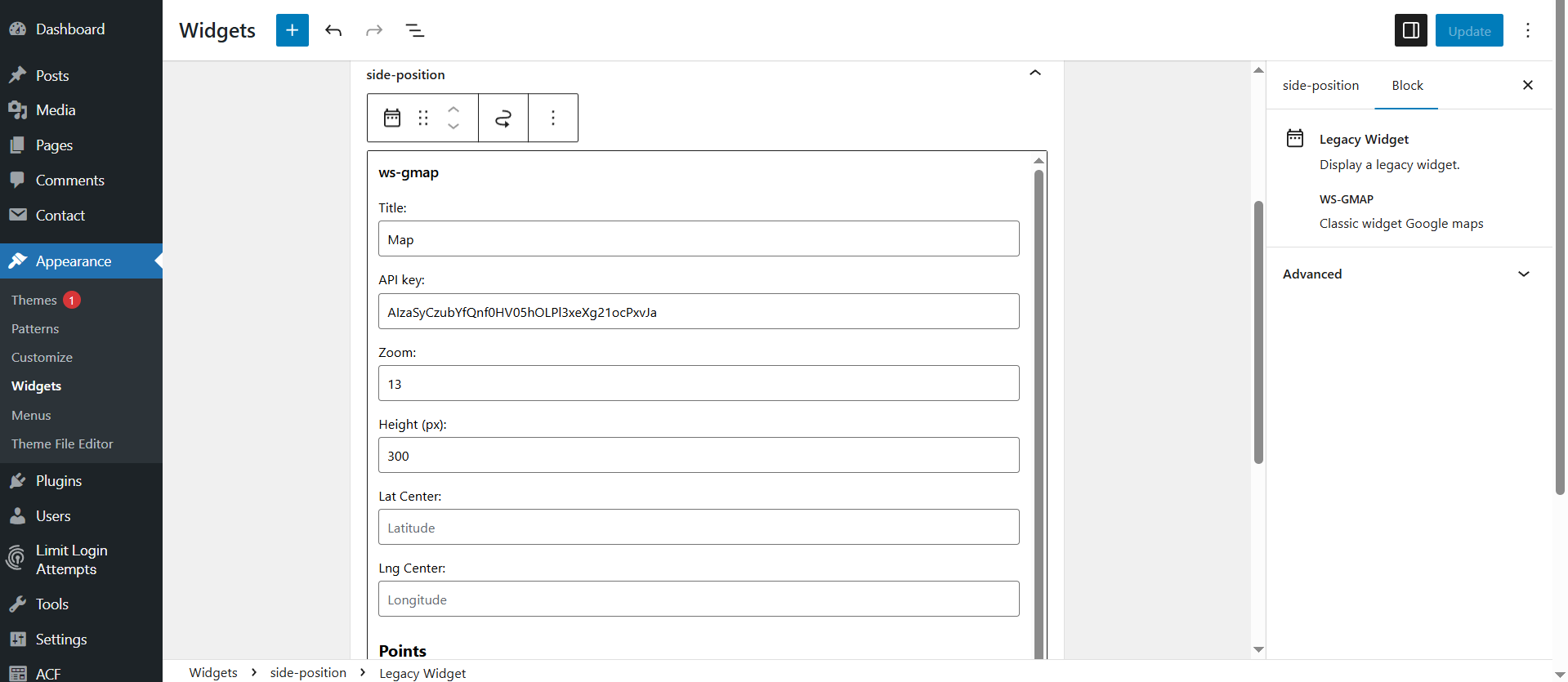
If you use the classic widget display, the plugin settings in the admin panel will look like this:
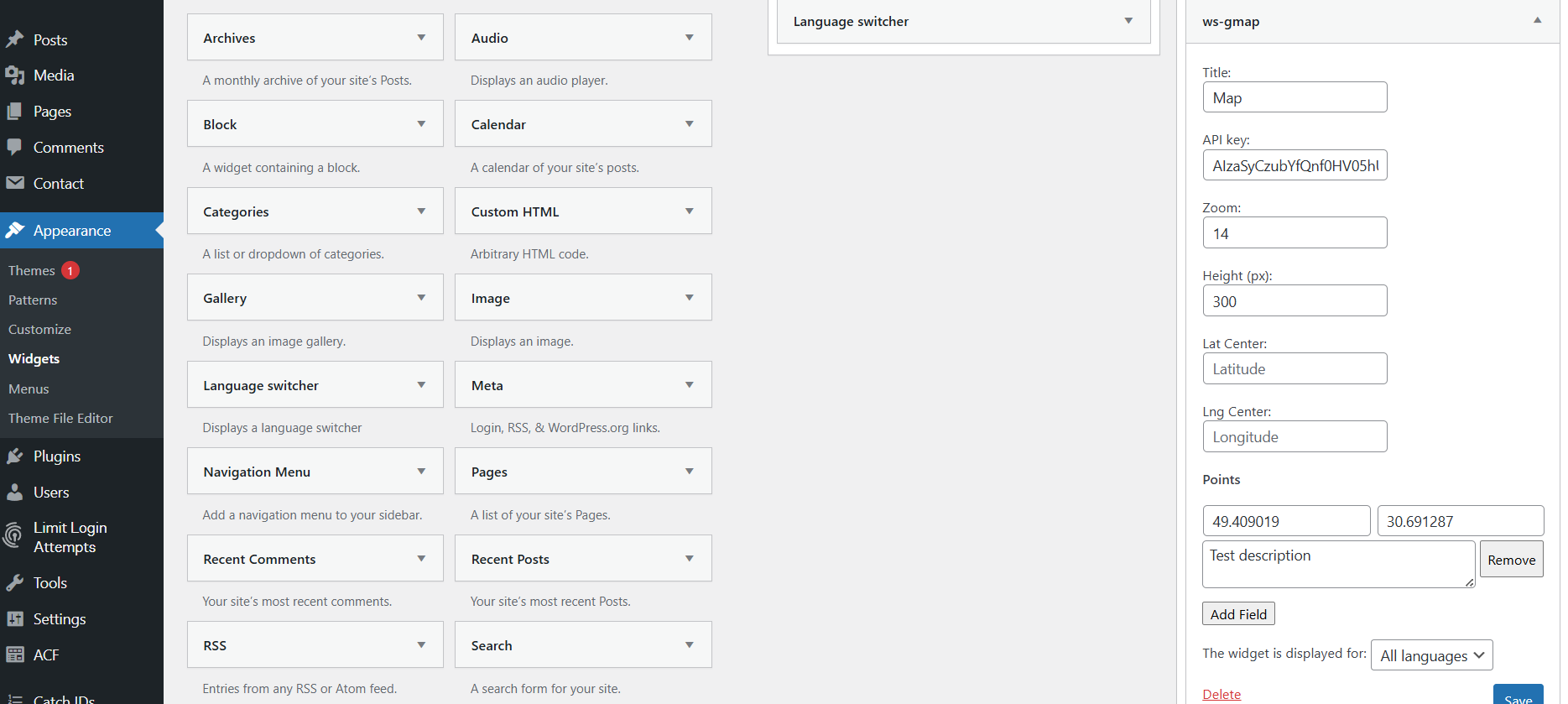
You can set a description for a point on the map that will appear when clicked. This marker description can use HTML. You can see how this works in the example.
If there are multiple markers on the map, you can specify the map center in the designated fields. If the map center is not specified, the first marker will be used as the center.
You can download the WS GMaps plugin from this website – Download
Or you can download it from GitHub.
Installation
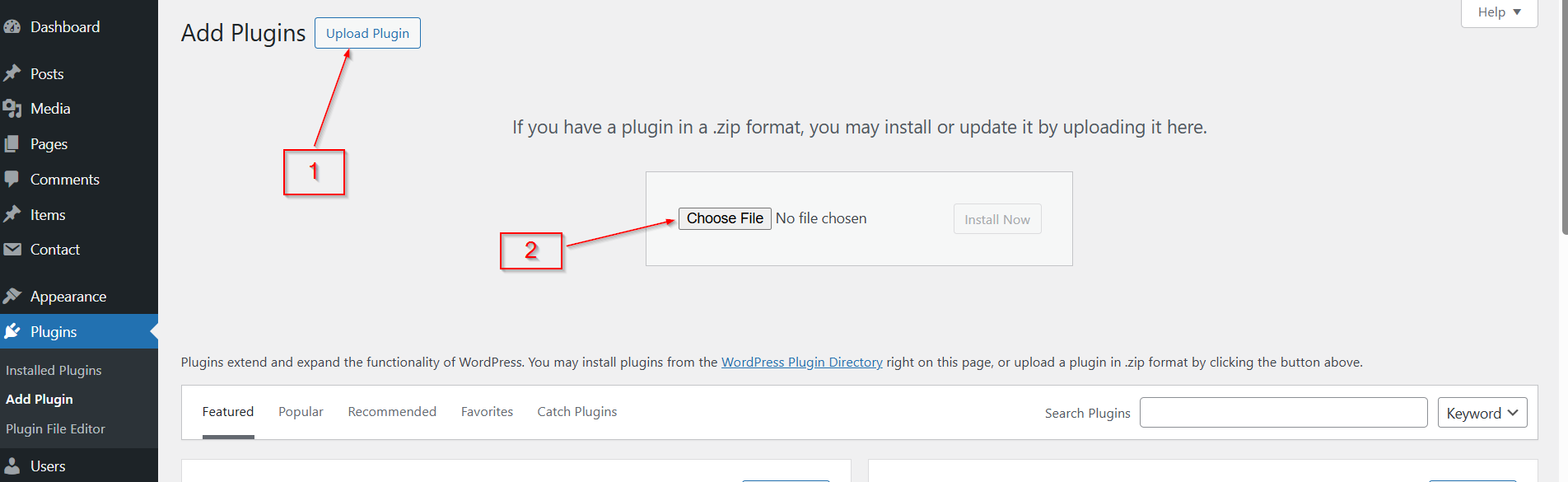
Upload the plugin archive in zip format using your website’s admin panel.
Even though the plugin is free, you can still thank the plugin author if the widget was useful to you.

Other ways to donate are here
The plugin was tested on WordPress version 6.8
The minimum PHP version is 8.0
The current version of the plugin is 0.1.6

Similar posts:
-
How to Remove the jQuery Migrate Script from WordPress
If your WordPress project uses jQuery, then by default, WordPress also loads the jQuery Migrate script along with it. In 99% of cases, you don’t actually need this script...
-
How to Remove the "Website" Field from the WordPress Comment Form
By default, WordPress includes a "Website" or "URL" field in its comment form. While this may be useful in some cases, it often attracts spammers who leave low-quality co...
-
Classic WordPress widget (plugin) of NBU exchange rates (Ukraine)
WP Currency NBU - classic NBU (National Bank of Ukraine) exchange rate widget for WordPress. The widget displays the USD (US Dollar), EUR (Euro), PLN (Polish Zloty) excha...
Leave a Reply