



Fixing Image URL in ACF (Advanced Custom Fields)
The ACF (Advanced Custom Fields) plugin is a great and convenient tool for extending the functionality of WordPress. ACF allows you to add custom fields to your project’s admin panel. When using the image field, I usually use the URL to get the value.
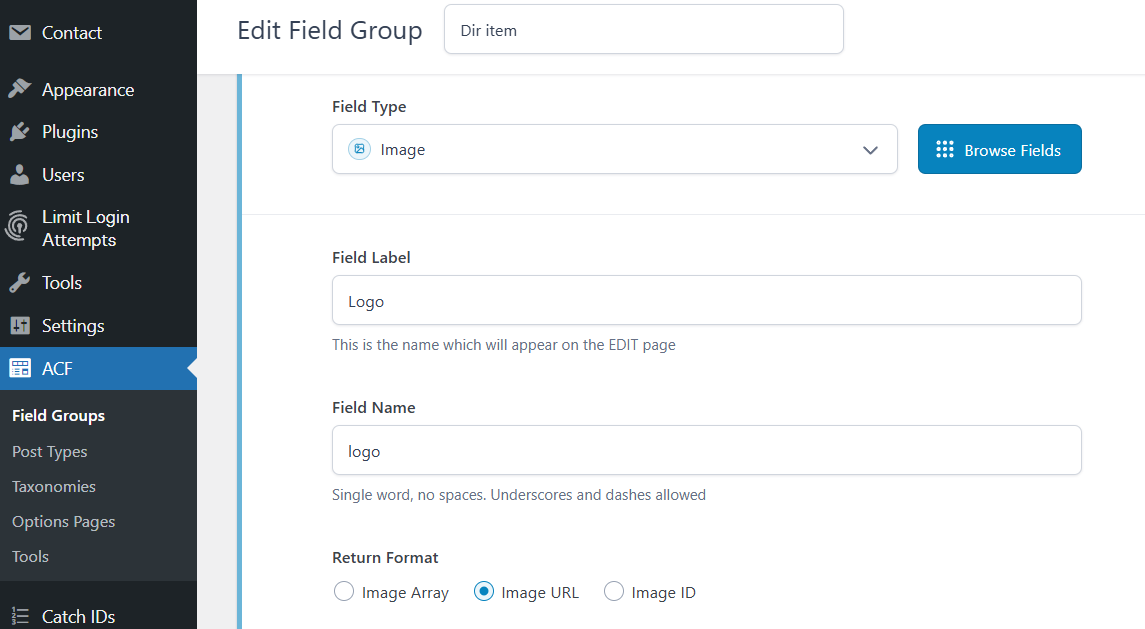
And in the template, when outputting the image field value, the correct value does not always come. Sometimes, instead of the URL, an ID comes. This usually happens in a loop when you are outputting elements from an array. You can fix this behavior with the following code:
PHP
$logo = get_field('logo');
if (is_numeric($logo)) {
    $logo_url = wp_get_attachment_url($logo);
} else {
    $logo_url = $logo; // string (URL)
}
If image fields are used in different templates, it makes sense to move this fix to the functions.php file.
PHP
// functions.php

function getAcfImgUrl($img){
    if (is_numeric($img)) {
        return wp_get_attachment_url($img);
    }
    return $img;
}
In the template, this might look like the one shown below. But it all depends on your implementation, and you will have your own field names.
PHP
$offers = get_field('offer_list');
foreach ($offers as $item) {
   $icon = getAcfImgUrl($item['icon']);

   // other code...

  echo '<img src="' . $icon . '" atl="icon" />';
}

Similar posts:
-
How to Send HTML Form Data to Email Using PHP
Sending a form to email is an important and common way of communicating with a web resource user. Let's write a simple form for sending data to email using the PHP mail()...
-
Iterating Elements of Array without Loops
The examples are very abstract because there are cycles. Our condition will be as follows. It is necessary to select all elements of the array by a given attribute. Or, t...
-
WordPress Classic Widget (Plugin) Google Maps
WS GMaps is a classic widget (plugin) Google Maps for WordPress CMS. The widget allows you to set multiple points on the map. In addition, there can be several widgets on...
Leave a Reply